Posts

Showing posts with the label Sharepoint 2007

Microsoft Office 365 - Sharepoint, Office with cloud computing

Microsoft Office 365 is about using power of Microsoft Office with power of cloud computing. Office, Exchange, Sharepoint and Lync.... All Online For details see following link http://office365.microsoft.com/en-US/online-services.aspx

Sharepoint 2007 - Scroll bars using page viewer webpart

You may sometime noticed that page viewer webpart displays scroll bars when you try to display pages that has large view area. This is because page viewer webparts works with fixed width and hieght and when content page increase webpart displays scroll bar. The solution for this is to use custom webparts if the page is internal page.

Sharepoint 2007 - Survey removing save button

You will notice save botton in sharepoint surveys when using sharepoint surveys with branching options. It confuse most of surveys users as generally user select save instead of next or finish which result in in complete surveys. We have checked a lot in sharepoint options and failed to find any option thay may allow admisitrator or pulisher to disable this buton and find that there is one work around using sharepoint designer for removing it. 1. Open site in sharepoint designer 2. Go to you subsite and expand pages under survey (created earlier with branching option) 3. Open newform.aspx and find following <asp:content contentplaceholderid="PlaceHolderMain" runat="server"> 4. Add following javascript before closing tag of the content place holder searched in last step <script> var x=document.getElementsByTagName("input"); for (var i=0;i<x.length;i++) { if (x.item(i).type=="button"&&x.item(i).value=="Save...

Sharepoint 2007 - Multilingual Sites issues in updating publishing pages

When you work with multi lingual sites implemented using Share point variation features you may find that whenever you try to update page in your source site it will automatically published to all variation labels and will overwrite your translated content in other sites. e.g. You have bilingual site with English and Spanish. Where we consider english as a src site. When you create a new page in English and Publish this page a new page in draft status with English content will be created in Spanish Site. Translator will translate content and publish page created in Spanish Site. Suppose you find a spelling mistake and update content in English site. Now when you go to spanish site using system administrator you will noticed that the page will be in draft status with Latest English content i.e. Translator will now have to translate the whole page instead of fixing the small issue.In order to resolve this issues you need to do following changes in your varaition settings. Open site using...

Sharepoint 2007 Showing outlook Inbox using outlook active X control

Outlook provides active X interface for displaying out look inbox and simple object tag can be used to show emails from your outlook inbox. It will display your default inbox therefore can even show images that are stored at your pst file. You may also use this Active X control in Share point 2007 using content editor web part to display users emails but following disadvantages should be kept in mind. Security concerns as it is Active X control Different browser specific and deployment specific issues Look n feel will be different and cannot be branded Will not use Share point security but will show inbox based on outlook configuration e.g. of HTML is as follows. <OBJECT classid=CLSID:0006F063-0000-0000-C000-000000000046 id=ViewCtlFolder width="100%" height="430" Codebase="http://activex.microsoft.com/activex/controls/office/outlctlx.CAB#ver=9,0,0,3203">> <param name="Namespace" value="MAPI"> <param name="Folder...

Sharepoint Configuration for Outlook Web Access on any site

Outlook web access provides view on your exchange folder from any Share point site using Page Viewer Web part with query string parameters configured to display view as per your organization requirement. As OWA designed for intranet therefore it is obviously recommended for intranet portal only. For extranet you may have to go through it with an extra security step as per your OWA configuration. Following technet article provide details of different query string parameter for configuration of your OWA view. http://technet.microsoft.com/en-us/library/bb232199(EXCHG.80).aspx In general following query suffix for Page Viewer WebPart will suffix https://{server name}/owa/?cmd=contents&f=inbox

Sharepoint 2007 Working with Outlook Web Access Webpart

Share point 2007 provides following web parts for accessing exchange content using share point My Calendar (use with Microsoft Exchange Server 2003 or later) My Contacts (use with Microsoft Exchange Server 2003 or later My Tasks (use with Microsoft Exchange Server 2003 or later) My Inbox (use with Microsoft Exchange Server 2003 or later) My Mail Folder (use with Microsoft Exchange Server 2000 or later) Above web parts are provided in order to be utilized Share point My Sites. If you want to use Outlook Web Access in other website you may need to use outlook web access queries from page viewer web part.

MOSS Administration removing bad webparts from page that doesn't open in design mode

Will working with sharepoint you may find yourself in a situation where your webpart blows up and you will not be able to access your page. You cannot fix page as design options are available for editable pages in design mode. There is an option to remove webparts from these page to make them working. Providing query parameter Contents=1 will redirect you to WebPart administration page for selected page. This page will provide you options for removing webparts. e.g. your page link was as follows http://moss:2000/Pages/ErrorWebparts.aspx Opening following url http://moss:2000/Pages/ErrorWebparts.aspx? Contents=1 will allow you to fix your page.

Displaying thumbnail using DataViewerWebPart

Displaying thumbnail using dataview webpart may tweaking In order to display thumbnails from a picture library. You may receive XML errors if you try to do following steps 1. Drop listview webpart for picture library showing thumbnail and name of image 2. Right click and convert it to DataViewWebpart So you may probably need to do following to resolve it. 1. Drop list view webpart and change its view to show name and url of image. 2. edit your file and replace XSL for displaying URL with following code to display thumbnail. There is a limitation in a code that it will not be able to diplay thumbnail if you repeat file extension in your file name. So if your file name is like name.gif.gif it will not be able to display its thumbnail. <img border="0" src="{concat('/',@FileDirRef,'/_t/', substring-before(translate(@FileLeafRef,'ABCDEFGHIJKLMNOPQRSTUVWXYZ','abcdefghijklmnopqrstuvwxyz'),concat('.',@FileType)),'_',@FileType,...
Write custom workflow for content approval

In order to write custom workflow for content approval you may need to do a lot depending on your requirements but following are few useful tips that may help you to to it quickly 1. How to approve list item from your code In order to approve list item from your code you need to need to modify list item's moderation status using following line Item.ModerationInformation.Status = SPModerationStatusType.Approved Where Item is your list item 2. In order to start workflow automatically on item publishing event You need to select following option while associating custom workflow with your list "Start this workflow to approve publishing a major version of an item" You may not find this option with your custom work flow if you haven't placed following configuration in your wokflow meta data while defining work flow. < Workflow .... . > .......... < MetaData > < InitiationType > Manual;#OnNewItem;#OnItemUpdate;#OnMajorCheckIn </ InitiationType > ...

General correlation token related issues with CreateTaskWithContentType

You may encounter different issues while working with windows workflow foundation if you have not initialize you correlation token correctly or not configured you activity properly. When you enable tracing or start debugging your workflow you may get following. CorrelationToken Uninitialized for {corelationtokenname} owner activity {Task Name} following configuration needs to be checked in order to rectify above issue. 1. Check "Correlation Token.Owner Activity" is set to current state CreateTaskWithContentType should not run with shared workflow correlation token. You should define separate correlation token for all task activities. The owner of defined correlation token should be your activity. 2. Check all related activities e.g. OnTaskChange etc has same correlation token When you utilize CreateTaskWithContentType activity you may need to place few more activities e.g. OnTaskChange, CompleteTask etc. Activities related to CreateTaskWithContentType activity should have sa...

Sharepoint : How to set content approval status programatically

There are business scenarios when we need to programmatically set content pusblishing status of an Item. Examples would be the custom workflow for publishing or content approval. Following simple line of code can be used to set approval status. item.ModerationInformation.Status = SPModerationStatusType.Approved; item.Update();

How to query data from multiple sharepoint lists

Share point provide two mechanism for querying data from multiple share point lists SPSiteDataQuery FullTextQuery Following link on msdn explain usage for SPSiteDataQuery http://msdn.microsoft.com/en-us/library/microsoft.sharepoint.spsitedataquery.aspx

Installing Sharepoint Server on Windows 2008

Windows 2008 does not support installation of Share point Server 2007 without Office/WSS Service pack 1. Therefore when you try to install share point setup on Windows 2008 machine it will give you an error that service pack is required to run this installation. In order to run installation on windows 2008 machine you need to perform following set of activities. First download WSS Service Pack 1 and Office Sharepoint Server 2007 Service Pak 1 from Microsoft site. Copy all files from installation CD to local disk. Open command prompt and navigate to folder where you have downloaded service pack1 for WSS and Office server and run following commands wssv3sp1-kb936988-x86-fullfile-en-us.exe /extract:C:\WSSSP1 officeserver2007sp1-kb936984-x86-fullfile-en-us.exe /extract:C:\MOSSSP1 Copy all files you extracted in last step i.e. C:\WSSP1 and C:\MOSSSP1 to Updates folder of Sharepoint installation (at local disk) Now run sharepoint setup from your installation files in your hardisk. It should...

Using SQL Reporting Services with in Microsoft Sharepoint in native Mode

If you need to display Reports developed using SQL Reporting services there are two options. Either you use you Share point Server in integrated mode with SQL Server Reporting services or you may use it in Native Mode. Following defines the steps you need to perform in oder to use reports in Native Mode. Microsoft provide report explorer and report viewer web part to display and browse reports deployed at MS SQL Server Reporting Server. But these web parts are not installed by default so you need to download and install reporting server add on ( SharePointRS.msi) following link may be used for downloading SQL Server Add-on from Microsoft site. http://www.microsoft.com/downloads/details.aspx?familyid=1E53F882-0C16-4847-B331-132274AE8C84&displaylang=en Now even if you installed the addon it will deploy necessary cab files in your system but web part will not be activated automatically and you need to run following stsadm command in order to activate and utilize web parts "%Syste...

Sharepoint - How to design printer friendly pages

I was thinking about adding support for printing my content pages in my share point site. As I have done this before in my custom side so I utilize same idea for hiding content displayed in my master page in print view. I created a css file and published in my style library and add css link in my master page with media set to print <link href="[cssfilelink]" rel="stylesheet" type="text/css" media="print" /&gt Then I added following 4 css classes in my stylesheet. After finishing this when I print my sharepoint page from browser it autmatically removed master page section and print only content area. .ms-globalbreadcrumb { display:none; } .ms-globalTitleArea { display:none; } .ms-bannerContainer { display:none; } .ms-navframe { display:none; } Any suggestion or better strategies for achieving above is welcome

Sharepoint Workflows / ASP.NET - Logging using diagnostic traceing

One of the coolest feature in asp.net is its tracing. Good thing is that it can be utilized in sharepoint as well and provide an easy way for logging inside workflow foundation. You just need to add following in you sharepoint web.config file <system.diagnostics> <switches> <add name="System.Workflow LogToTraceListeners" value="1" /> <add name="System.Workflow.Runtime.Hosting" value="Verbose" /> <add name="System.Workflow.Runtime" value="Verbose" /> <add name="System.Workflow.Runtime.Tracking" value="Verbose" /> <add name="System.Workflow.Activities" value="Verbose" /> <add name="System.Workflow.Activities.Rules" value="Verbose" /> <add name="[Your namespace]" value="Verbose" /> </switches> <trace autoflush="true" indentsize="4"> <listeners> <add name=...

Lotus Notes Email search - Searching Email to Notes client

Image
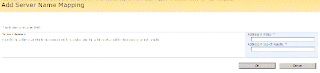
When configuring lotus notes content source with sharepoint server you will noticed that search results return urls for lotus notes document. These URL transfer controls to lotus notes web access so that user can access his search email and look at its content. There are few scenarios when user will not like to use webaccess and would like to open searched emails in lotus clients. 1 - Intranet Environment when all users accessing sites have lotus client installed. 2 - Company policy to restrict web access to all users. Following are step for configuring sharepoint to display Lotus notes document URLs to Lotus notes client instead of lotus notes web access. 1. Goto shared service provider. 2. click search settings. 3. click server name mapping. 4. Add new mapping with following details a. Address in index : http://[Lotus server name] b. Address in search result : notes://[Lotus server name] Please notes that lotus notes client will be required on all end user machine for openi...

Configuring sharepoint search to crawl lotus notes emails and database

Recently I was assigned with an assignment to integrate/configure moss so that it can crawl the lotus notes database and provide search mechanism to moss users. Following are some really really useful links for that Following links on tech net are helpful for achieving the 90% of functionality. http://technet.microsoft.com/en-us/library/cc262927.aspx http://technet.microsoft.com/en-us/library/cc261820.aspx The trickiest part of solution is to select the correct field of person view in creation of notes mapping database. As that information is not clear in above technet article. Creation of mapping table and setting/picking up lotus id (using owner field of person view) is well defined in following POC. http://blogs.msdn.com/edhild/articles/473060.aspx Another trickiest part that I face was that you need to explicitly assign default security setting to reader by clicking document properties of security mapping views. I have tested that lotus protocol handler is working fine with Lotus 6...

Sharepoint 2007 - Tracing if variation crashes

Sharepoint system will not provide any alert or notification to user if any thing crashes in varaition system. e.g. If any issue occurs it will not copy pages but you will be noticed that later when you will find broken links on your site. It is recomended that administrator checks logs after publishing new contents to see if everything working as per expectation. Varaition logs can be location in site settings at your top level site. If you think you are getting unexpected behaviour and your logs are not showing any useful information you may further investigate logs in "hive 12" i.e. "[Program Files]\Common Files\Microsoft Shared\web server extensions\12". You may check status of your scheduled job for locating any issues in variation. If you found that issue is due to execution of your job restart Windows sharepoint timer service using services console "services.msc" to fix issue.